Control Which Activities Grow Flowers
Decide per activity whether completing it grows a flower — and how long a session must be before it does. Keep chores out of your garden while meaningful work blooms.
Why per-activity flowers?
In TimeGrow, tracking time and growing your garden are linked: finish a session of 10 minutes or more and a flower is planted. But not every hour deserves a flower. An hour of laundry is still an hour worth tracking — it just may not feel like growth.
That's why each activity now has its own flower settings. Track everything, but let only the activities that represent real progress fill your garden.
Step by step
- 1
Open the activity editor
On the Timelog screen, tap + in the top-right corner to create a new activity — or long-press an activity card and choose Edit to change an existing one.
- 2
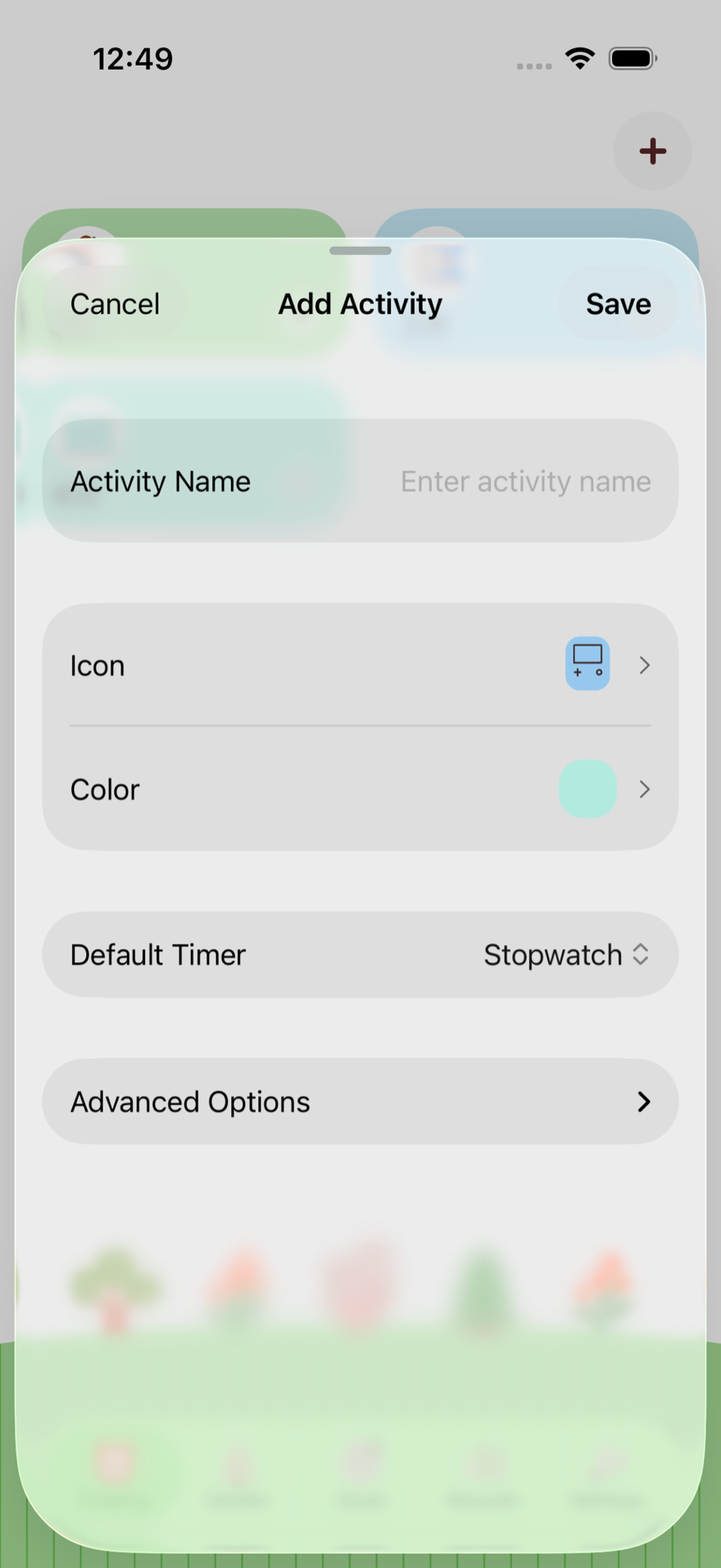
Expand Advanced Options
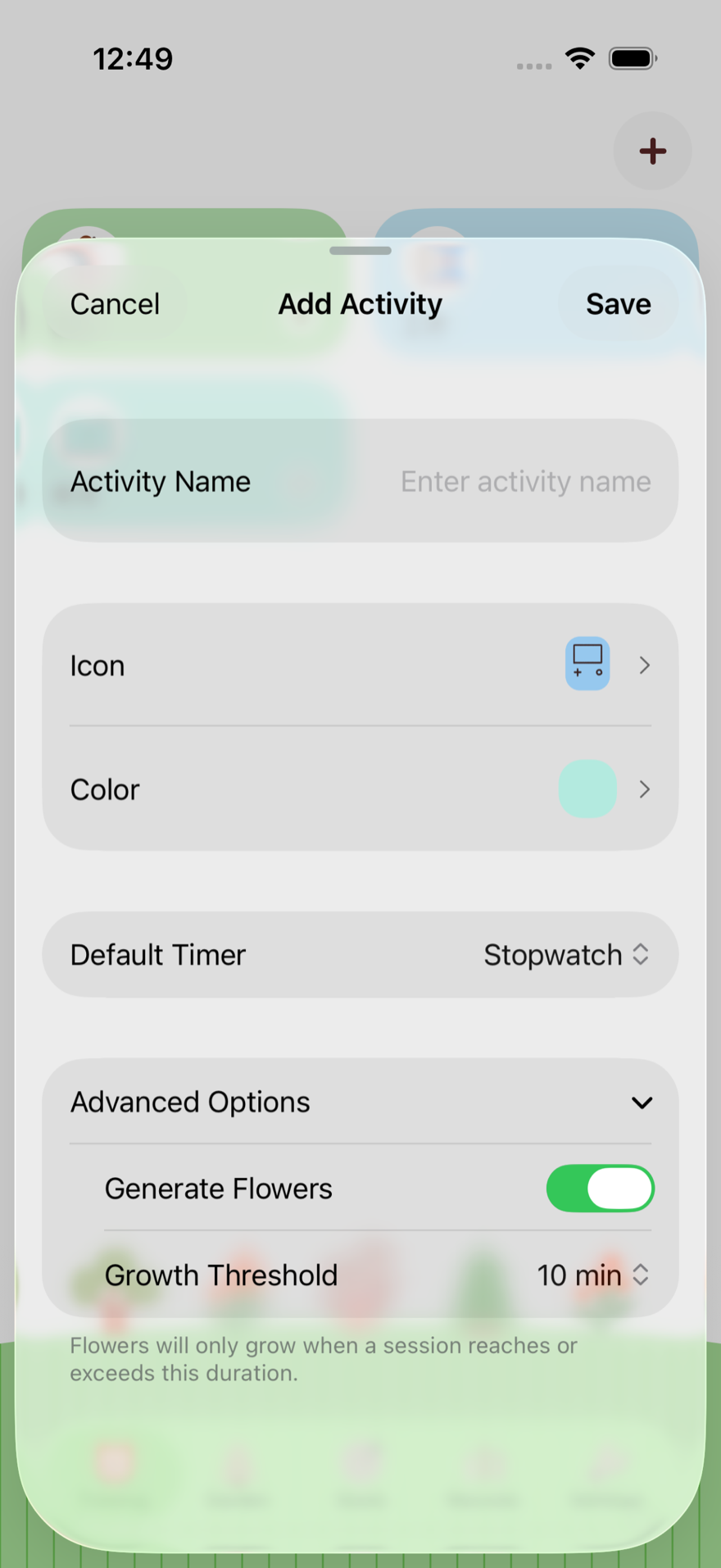
Below the timer style you'll find an Advanced Options row. Tap it to reveal the flower settings. It stays collapsed to keep the form simple — if an activity has non-default flower settings, it opens automatically.
- 3
Toggle Generate Flowers
Generate Flowers is on by default, so every activity keeps the classic behavior. Turn it off for activities that simply take up time — household chores, errands, commutes — and finishing them will no longer add a flower to your garden.
- 4
Pick a Growth Threshold
Growth Threshold is the session length a flower needs to grow, from 1 minute up to 4 hours. Lower it to reward short focus sessions, raise it so only deep work blooms. The picker is disabled while Generate Flowers is off.
- 5
Save your activity
Tap Save — the settings apply to all new sessions of this activity from now on.
Good to know
- ✓New activities default to Generate Flowers ON with a 10-minute threshold — the same behavior TimeGrow has always had.
- ✓Sessions shorter than the threshold are still recorded and counted toward Records and Goals. They just don’t grow a flower.
- ✓A pomodoro (countdown) session that runs to zero follows the same toggle: if flowers are off, completing it won’t plant one.
- ✓Changes only affect future sessions. Flowers already planted stay in your garden.
Shape the garden that fits your life
Requires TimeGrow 1.23.0 or later. Grab the latest version and let your garden reflect what truly matters.