Visual Time Blocking for ADHD: A Low-Friction Daily System That Actually Sticks
If you have ADHD, or simply struggle with chronic procrastination and attention overwhelm, you have almost certainly tried time blocking.
You sat down on Sunday afternoon feeling motivated. You opened Google Calendar, Notion, or a color-coded daily planner, and meticulously scheduled every hour:
- 8:00 AM – 9:00 AM: Gym & Shower
- 9:00 AM – 10:30 AM: Deep Work Project A
- 10:30 AM – 11:30 AM: Clear Emails
- 11:30 AM – 12:30 PM: Lunch & Reading
By Tuesday at 9:45 AM, reality unravelled. You couldn't find your car keys in the morning. An unexpected Slack message took 40 minutes.
Suddenly, your 9:00 AM block spilled into your 10:30 AM block, which collided with your 11:30 AM block. Your beautiful color-coded calendar became a visual crime scene of unfulfilled promises. The familiar shame spiral kicked in, and by Wednesday, you abandoned the planner entirely.
Traditional time blocking was designed by and for neurotypical brains with predictable executive function.
If you want a time-management system that actually works with your neurodivergent psychology rather than fighting it, you need a visual, low-friction, buffer-first approach.
Why Traditional Time Blocking Fails the ADHD Brain
To fix time blocking, we first have to diagnose why standard advice fails:
1. "Time Blindness"
ADHD brains process time primarily in two zones: "Now" and "Not Now." Abstract time units like "45 minutes" don't feel tangible until a hard deadline arrives. A flat digital calendar treats time like fixed geometric boxes, which fails to register emotionally until panic sets in.
2. The Cognitive Switching Penalty
Switching from one task to another requires tremendous executive energy. When a rigid calendar demands that you stop Task A at 10:30 AM on the dot to start Task B, it forces a jarring mental gear shift. If you are in hyperfocus, you resent the interruption. If you are sluggish, you dread the transition.
3. The "Catch-Up" Trap
When a neurotypical schedule falls behind by 30 minutes, they adjust. For an ADHD brain, falling behind often triggers catastrophic thinking: "I blew the schedule; today is ruined." Trying to cram three hours of missed tasks into an afternoon creates total paralysis.
The 3 Rules of Low-Friction Visual Time Blocking
Instead of trying to force your brain into a rigid grid, build your system around three forgiving principles:
Rule 1: The "Moat" Rule (Mandatory Buffer Blocks)
Never schedule two intense cognitive blocks back-to-back. Every major work block must have an empty 30-minute "Buffer Moat" immediately after it.
If your task takes longer than expected (which it almost always will), it spills harmlessly into the moat without touching the rest of your day. If you finish on time, the moat becomes free time to stretch, hydrate, or wander.
Rule 2: Visual, Tangible Progress Over Text Lists
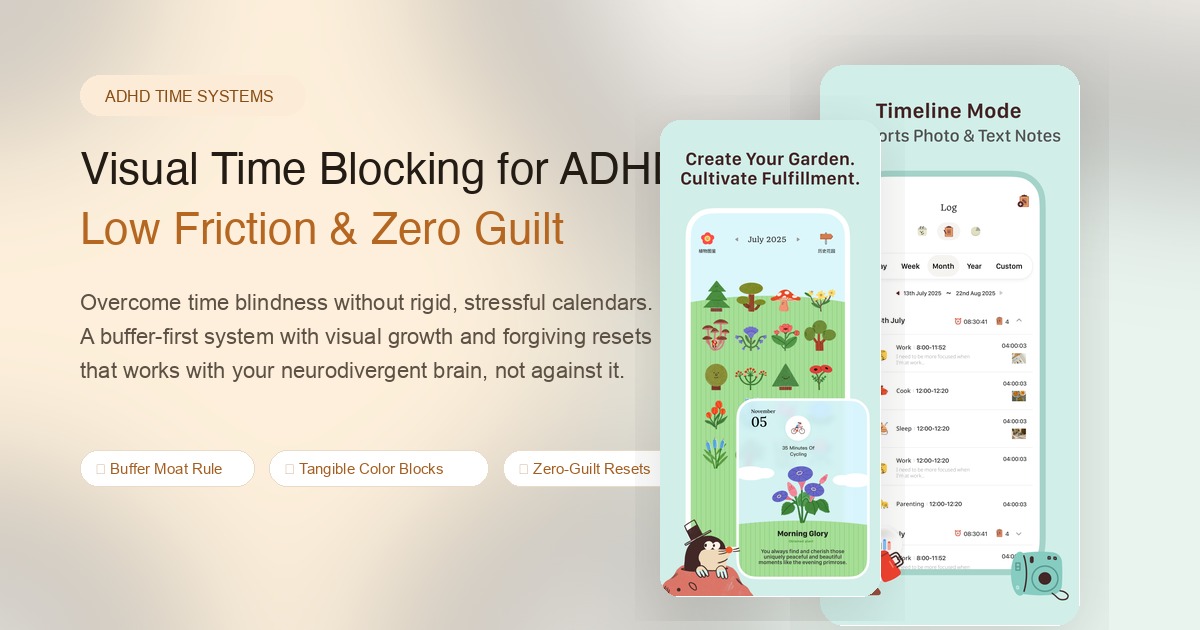
ADHD dopamine circuits respond to immediate, tangible visual rewards. A completed checkbox in a task app provides a microscopic spark of dopamine, but visual accumulation—watching plants grow, seeing color blocks fill a garden, or listening to calming soundscapes—provides visceral momentum.
When time is converted into visual artifacts (like blossoming flowers in your garden), time stops being an abstract, stressful enemy and becomes something you can see and cherish.
Rule 3: The Zero-Guilt Reset
If your morning falls apart, you never try to make up for lost time in the afternoon.
Instead, hit your mental "Reset Button." Erase the missed morning, take a deep breath, and start fresh with whatever block is scheduled for right now. Yesterday and this morning are closed books.
A Low-Friction Day in Practice
Here is what a realistic, sustainable ADHD time-blocked day looks like:
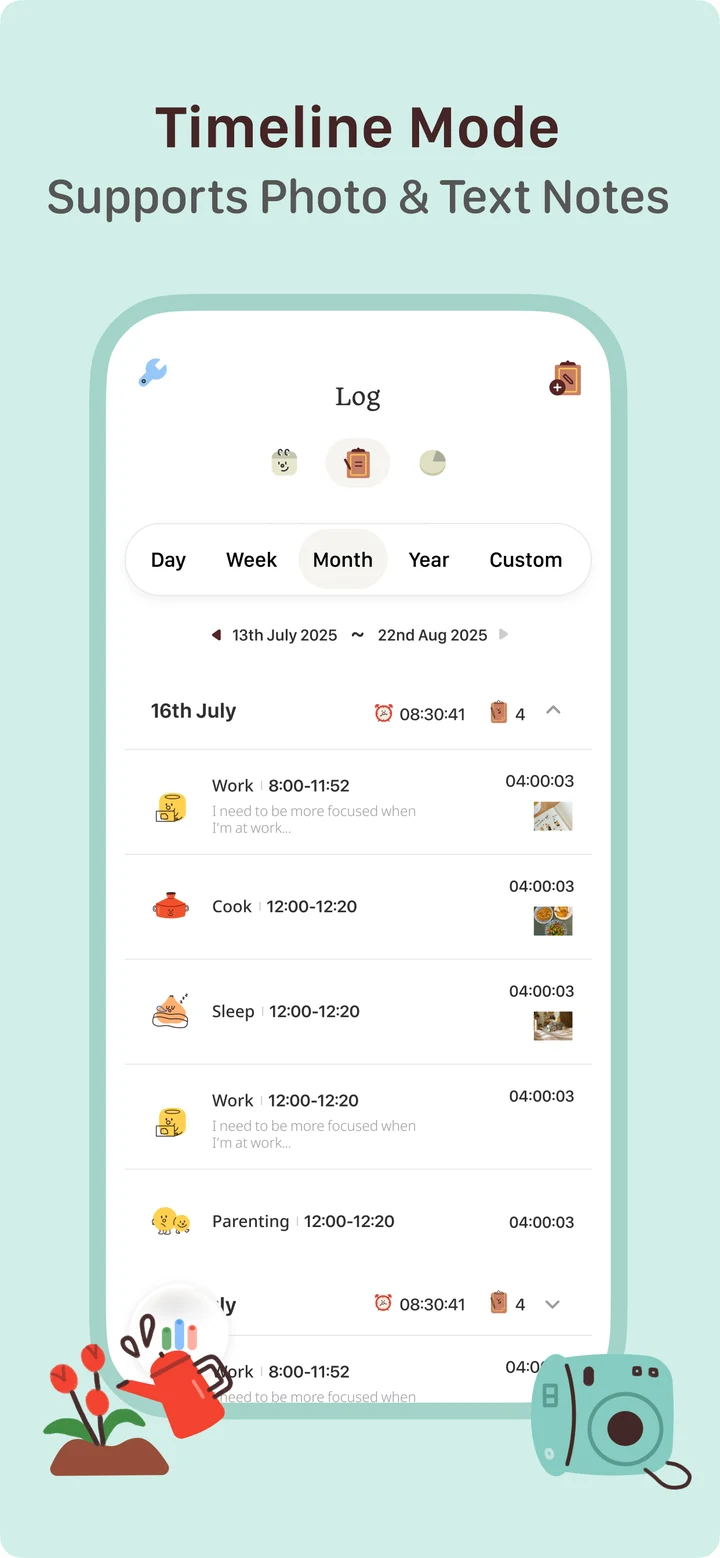
[ 09:00 - 10:00 ] Focus Block: The One Big Thing (Deep Work + Ambient Sound)
[ 10:00 - 10:30 ] Buffer Moat (Zero scheduling: spills, bathroom, tea)
[ 10:30 - 11:30 ] Admin Sprint (Fast emails, messages, quick logistics)
[ 11:30 - 01:00 ] Lunch & Physical Reset (Walk, food, zero screen time)
[ 01:00 - 02:15 ] Open-Ended Flowtime (Coding / Writing / Creating)
[ 02:15 - 03:00 ] Buffer & Decompression
[ 03:00 - 04:00 ] Wrap-Up & Garden Review
Notice what is absent: there are no micro-blocks like "10:15–10:25: call bank." Group small tasks into thematic sprints and leave massive margins of safety.
How TimeGrow Simplifies Daily Time Blocking
Most productivity apps demand an exhausting amount of setup: tagging, nested folders, color codes, and complex databases. For an ADHD brain, that setup alone drains all your daily willpower before you even start working.
In TimeGrow, we designed the workflow to be practically friction-free:
- One-Tap Initiation: Tap a single button on your Home Screen widget to begin your block. No filing forms, no mandatory labels.
- Visual Growth Without Shame: Watch a quiet flower grow as you focus. If you get distracted and pause, nothing withers or dies. You keep every minute of progress.
- Daily Time Garden Summary: At the end of the day, your hours aren't presented as cold, critical spreadsheets. They appear as a lush, blooming garden that reflects your actual human effort.
Start with Just One Block Today
You don't need to reorganize your entire life before sunset. Systems that demand an overnight revolution are the ones that collapse by Thursday.
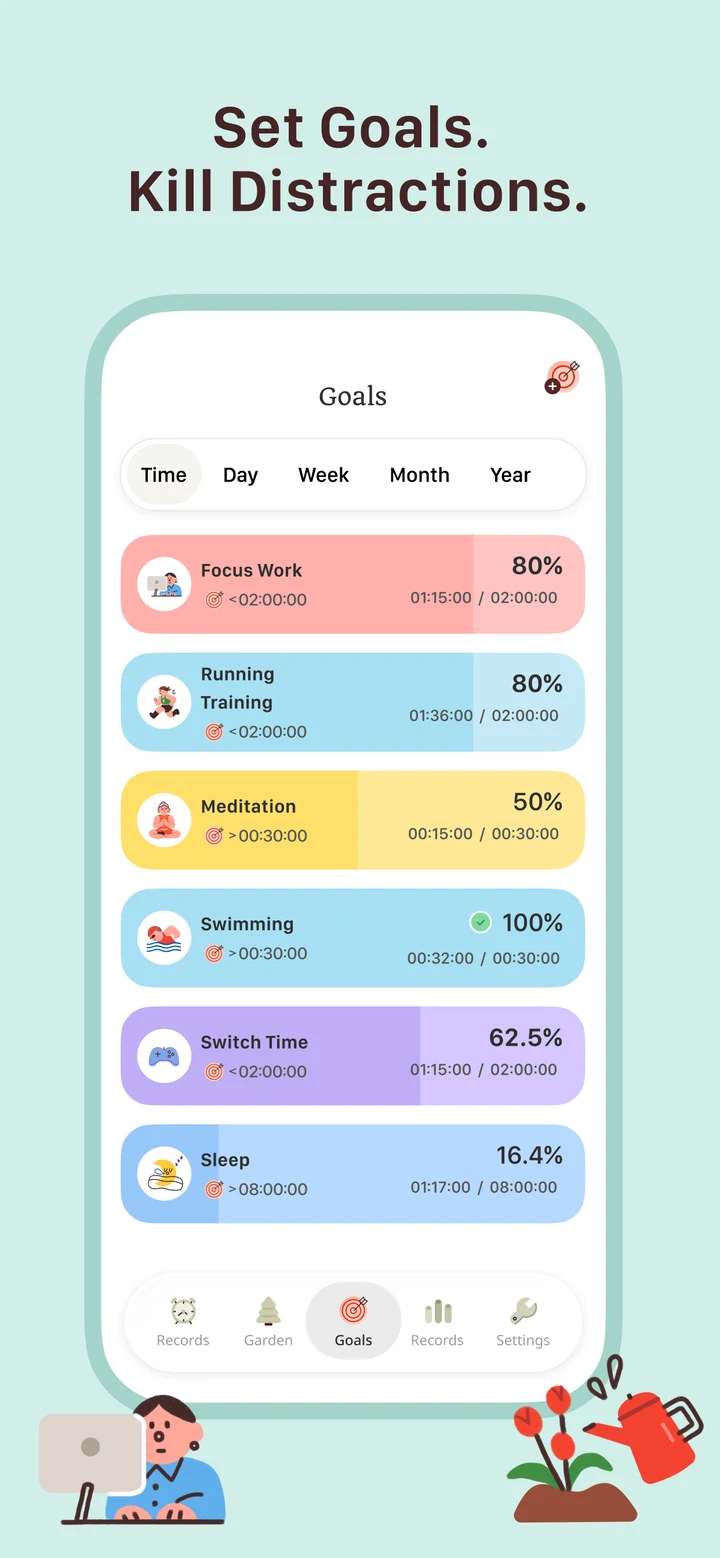
Today, pick just one single 25-minute block.
Turn off notification badges, put on your favorite white noise or ambient soundtrack, and start a timer. Treat your focus like a gentle seed: water it with a few minutes of quiet attention, and watch what grows.
Looking for a calmer way to see your time? Download TimeGrow on the App Store or explore our guide on tracking effective time.